
Navigation
Assignment Scores
Reports
Benchmark Assessment Scores
Navigation
From the Class Details page, select Scores to open the Class Scores page.
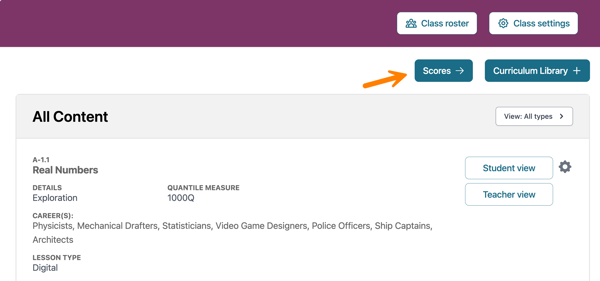
Assignment Scores
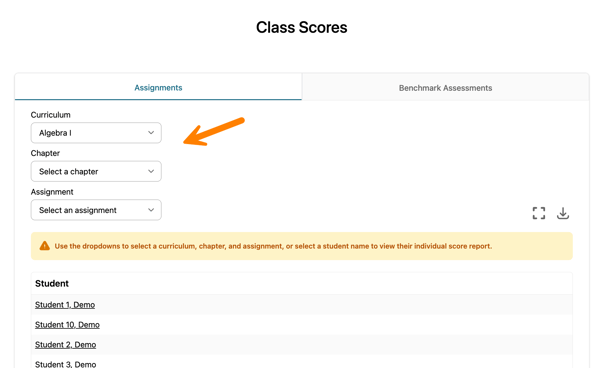
When you first open the Class Scores page, the Assignments tab is displayed.
Use the Curriculum, Chapter, and Assignment dropdown menus to filter and view a specific assignment.
Click the icons to expand the view to full screen or download class scores as a CSV file.
To export all assignments for a class, click the Export icon before applying any filters. If filters are applied, the exported CSV file will include only the assignment information that matches the selected filters.
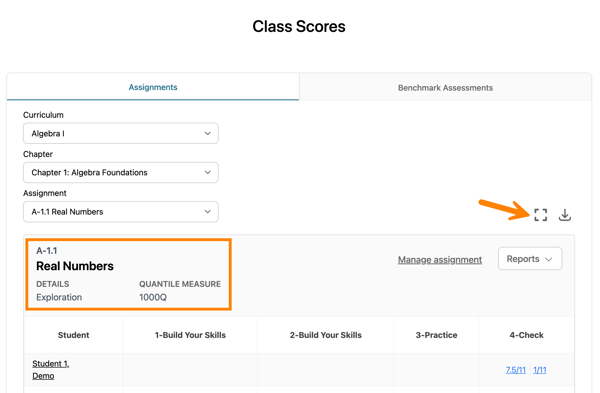
Each activity is represented in a separate column.
If retake assignments are available, they will appear as multiple scores in this view. Scores are displayed from left to right, beginning with the initial assignment and followed by each retake in chronological order.
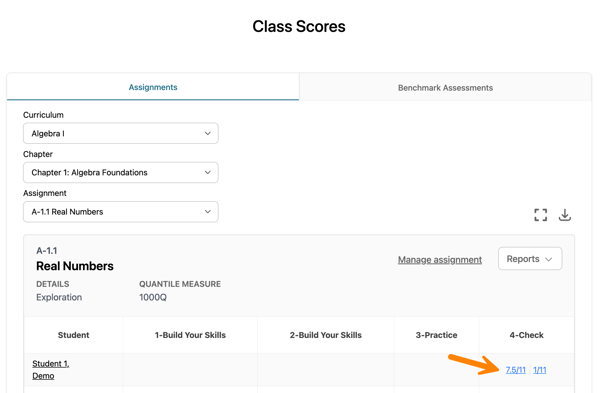
Score indicators include:
-
Blank score: The activity has been assigned but not yet taken.
-
N/A: The activity has not been assigned to that student.
Hover over a blue hyperlinked score to view additional score details. If an asterisk (*) appears next to the score, teacher scoring is required.
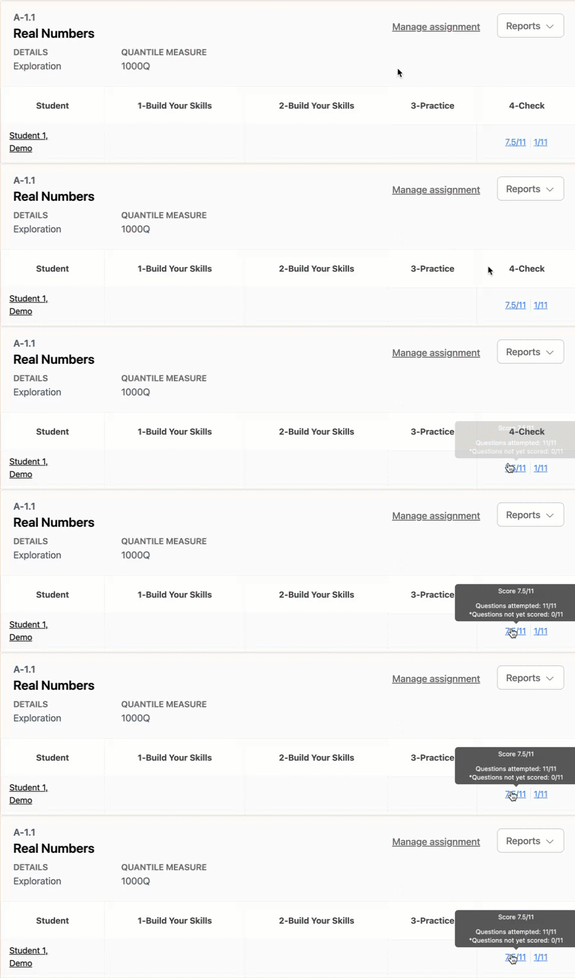
Click the score to open the Assignment Details page.
For instructions on scoring assignments, refer to the Scoring an Assignment article.
If you would like to assign a retake or update any assignment settings, such as due date/time and notes, click Manage Assignment. The Assignment Management page will open in a new tab.
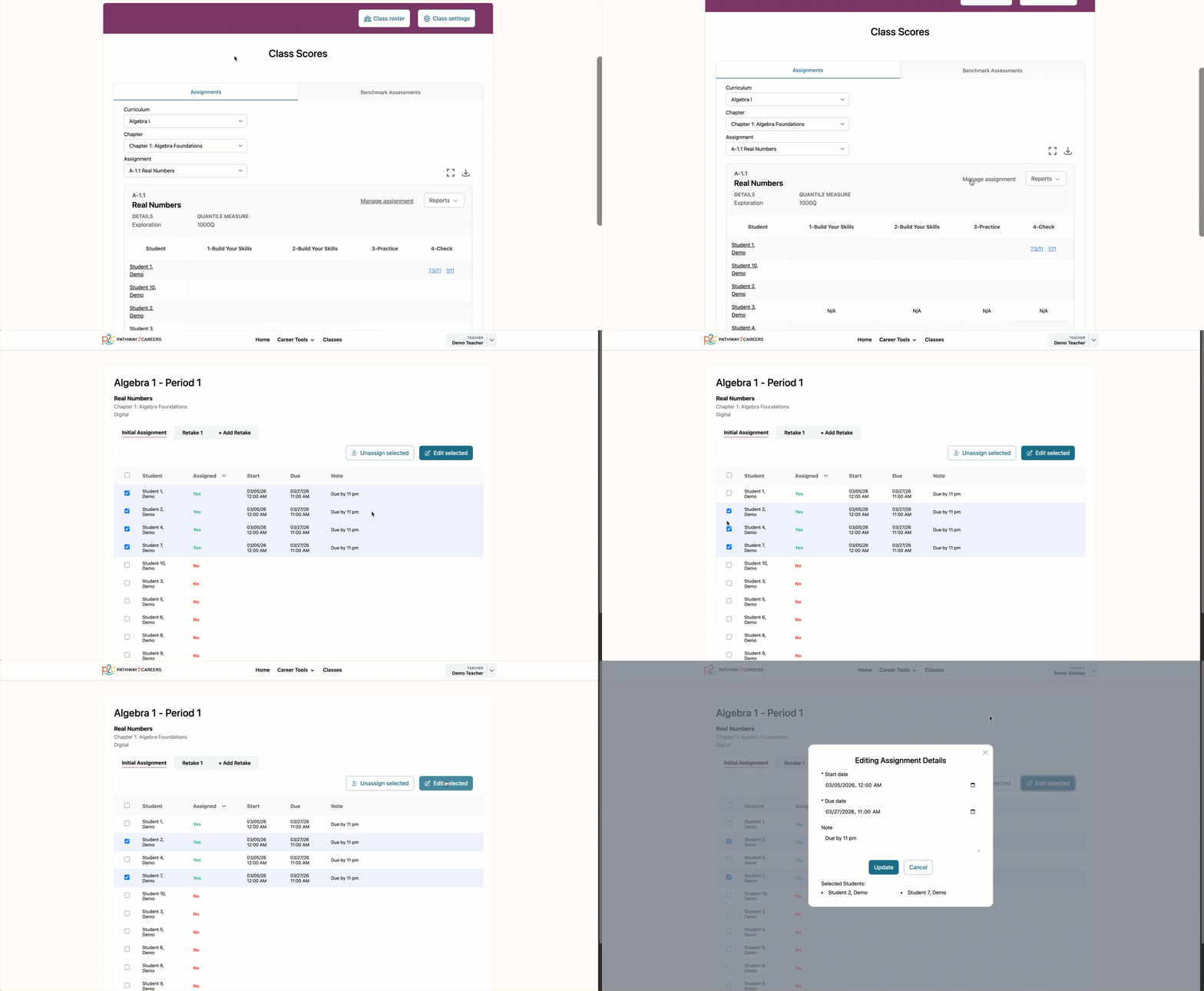
For more information on updating an assignment, please refer to the Managing Assignments article.
Reports
Teachers can access assignment reports for both the class and individual students directly from the Class Scores page.
To access a report, open the Reports drop-down menu and select the report you would like to view. The selected report will open in a new tab.
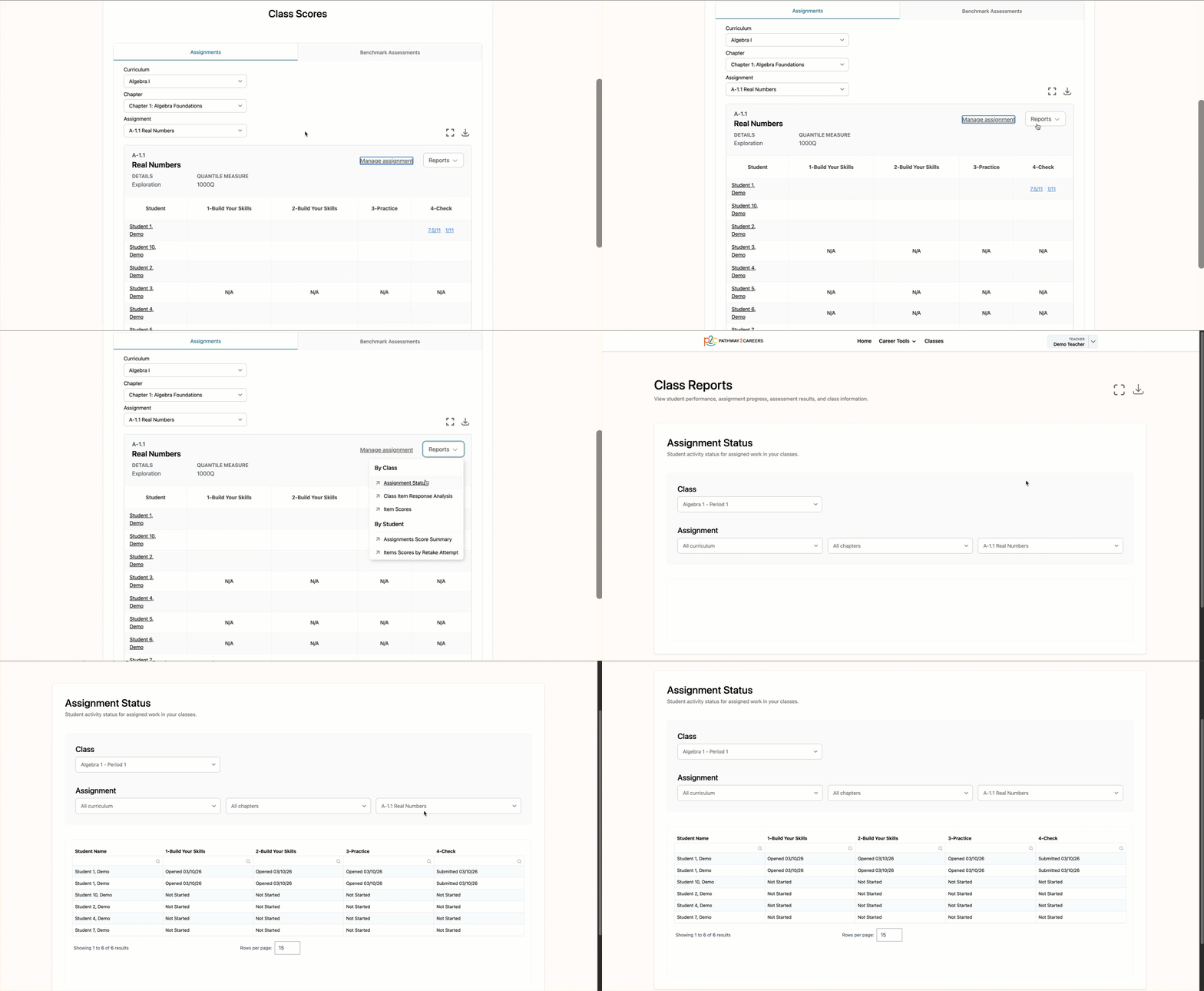
For instructions on how to use the teacher reports, refer to the Accessing Teacher Reports article.
Benchmark Assessment Scores
Benchmark Assessment scores are located on the same page.
To view them, select the Benchmark Assessments tab. This tab displays a roster view of each student's scores.
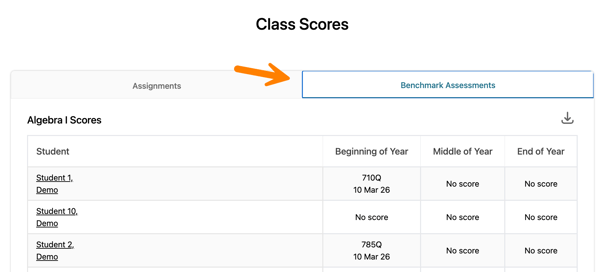
If a student has not taken an assessment, No score will be displayed.
For more information about Benchmark Assessments and Quantile scores, refer to the Assessments section of the Knowledge Base.