P2C Invite Code
To access the P2C platform, users must register using an invite code:
-
Teachers: Your invite code is provided directly by P2C.
-
Students and Guardians: Your invite code will be shared by your teacher or school administrator.
- School Administrators: Please work with your P2C Customer Success Manager.
Register an Account
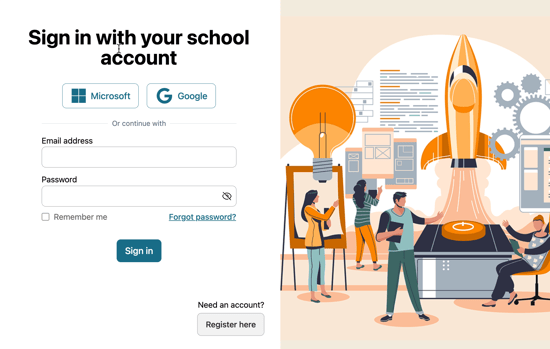
You can register in one of two ways: create an account directly in P2C using the P2C Registration Form or use single sign-on (SSO) with an existing Microsoft or Google account.
Use the P2C Registration Form
- Click Register here on the P2C sign-in page
- Enter your school email address and password. Passwords must include at least 6 characters, one uppercase letter (A–Z), one number (0–9), and one special character (such as !, @, #, $, etc.).
- Complete your profile and enter the invite code.
Use Single Sign-On (SSO) with Microsoft or Google
-
Click the Microsoft or Google button on the P2C sign-in page. If prompted, sign in using your school Microsoft or Google email account.
-
Follow the instructions to securely link your account with P2C.
- Complete your profile and enter the invite code.
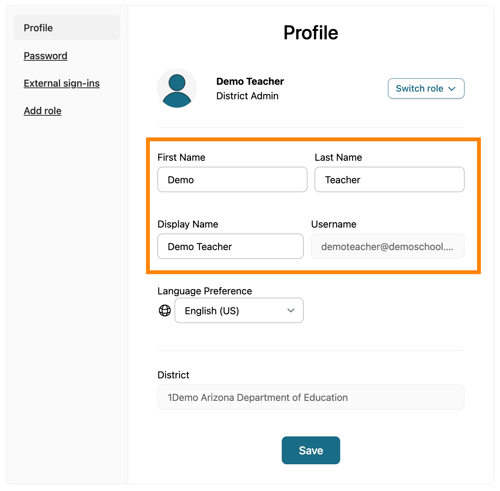
The Display Name appears on the welcome banner of the homepage and in each class (on the Class Roster, Class Scores, etc.). You can update your name at any time through Profile Settings. Please note that changes may take a few minutes to appear across the platform.