
The Graduation Requirements section allows District Admins to establish graduation credit requirements for different graduation cohort years.
Districts can set default requirements and customize requirements for individual buildings.
Editing District Graduation Requirements
Customizing Graduation Requirements for a Building
Comparing Graduation Requirements Across Buildings
Editing District Graduation Requirements
The categories listed on the Graduation Requirements section are determined by the Course Catalog. If a category is missing or needs to be updated, make the necessary changes to the associated courses in the Course Catalog.
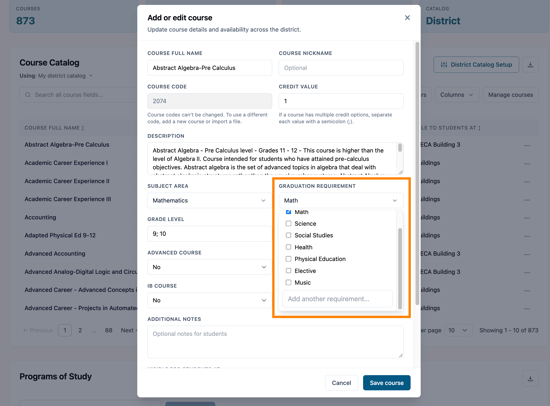
For instructions on how to manage the course catalog, please refer to the Managing the High School Planner Course Catalog article.
To begin customizing the graduation requirements, enter the number of credits required for each graduation requirement category and cohort year.
-
Categories left blank will not appear in students' graduation requirements.
-
If 0 is entered, the category will appear for students with 0 credits required.
Select Save changes.
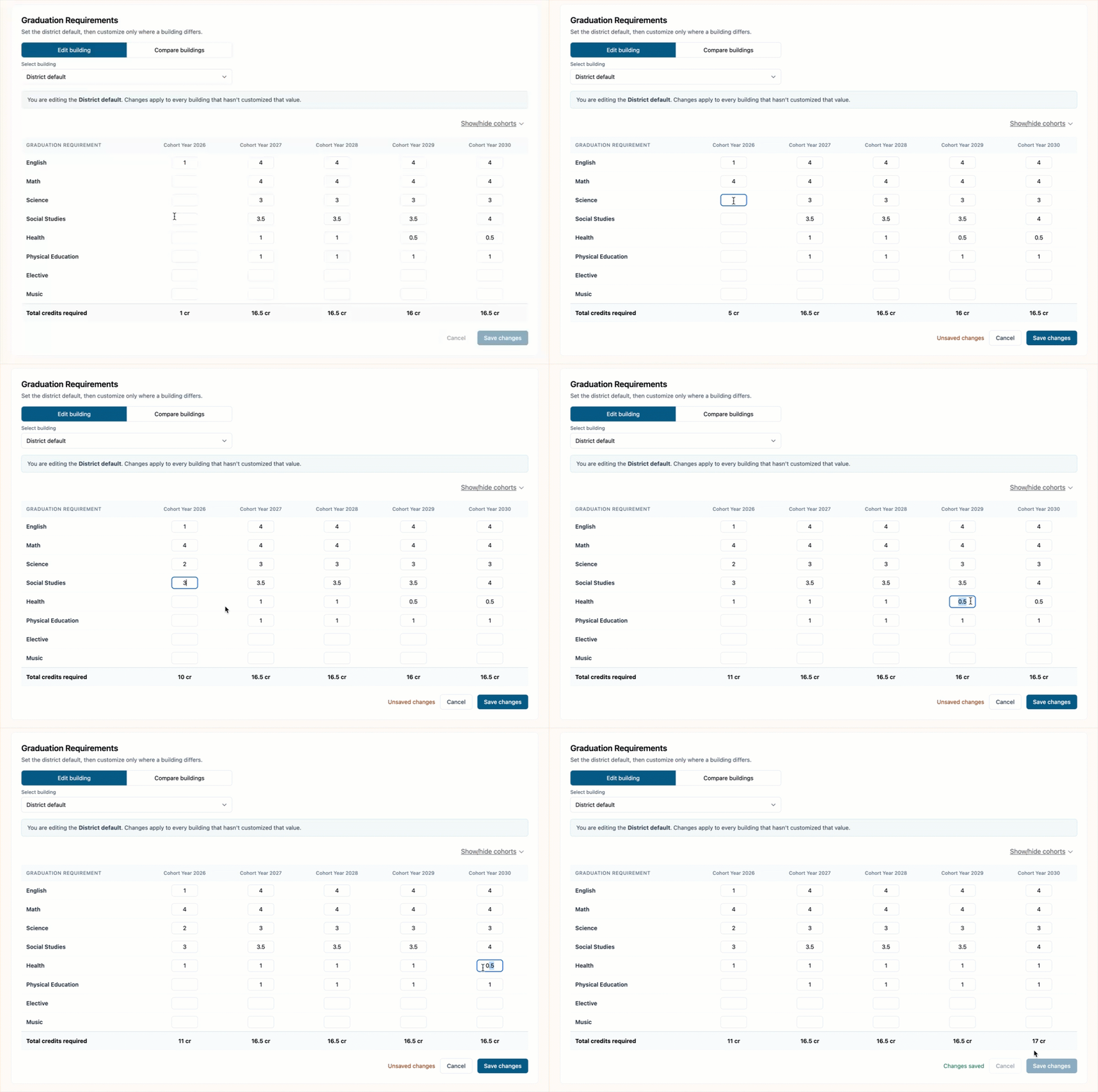
The District default graduation requirements apply to all buildings that do not have customized credit values.
When using the State Catalog, graduation requirements include a state default that cannot be edited.
Customizing Graduation Requirements for a Building
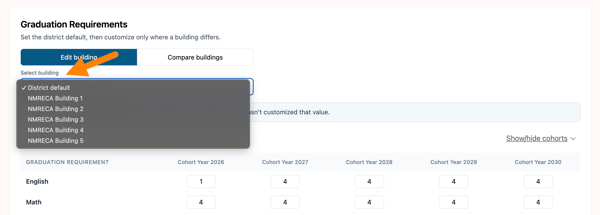
To update the graduation requirements for specific buildings, select the building from the drop-down menu and make relevant changes.
Clearing a customized value restores the district default for that requirement.
Comparing Graduation Requirements Across Buildings
This read-only comparison helps identify differences in graduation credit requirements across buildings.
Select Compare buildings.
Choose the graduation cohort year from the top tabs.
Review each building's requirements alongside the default.
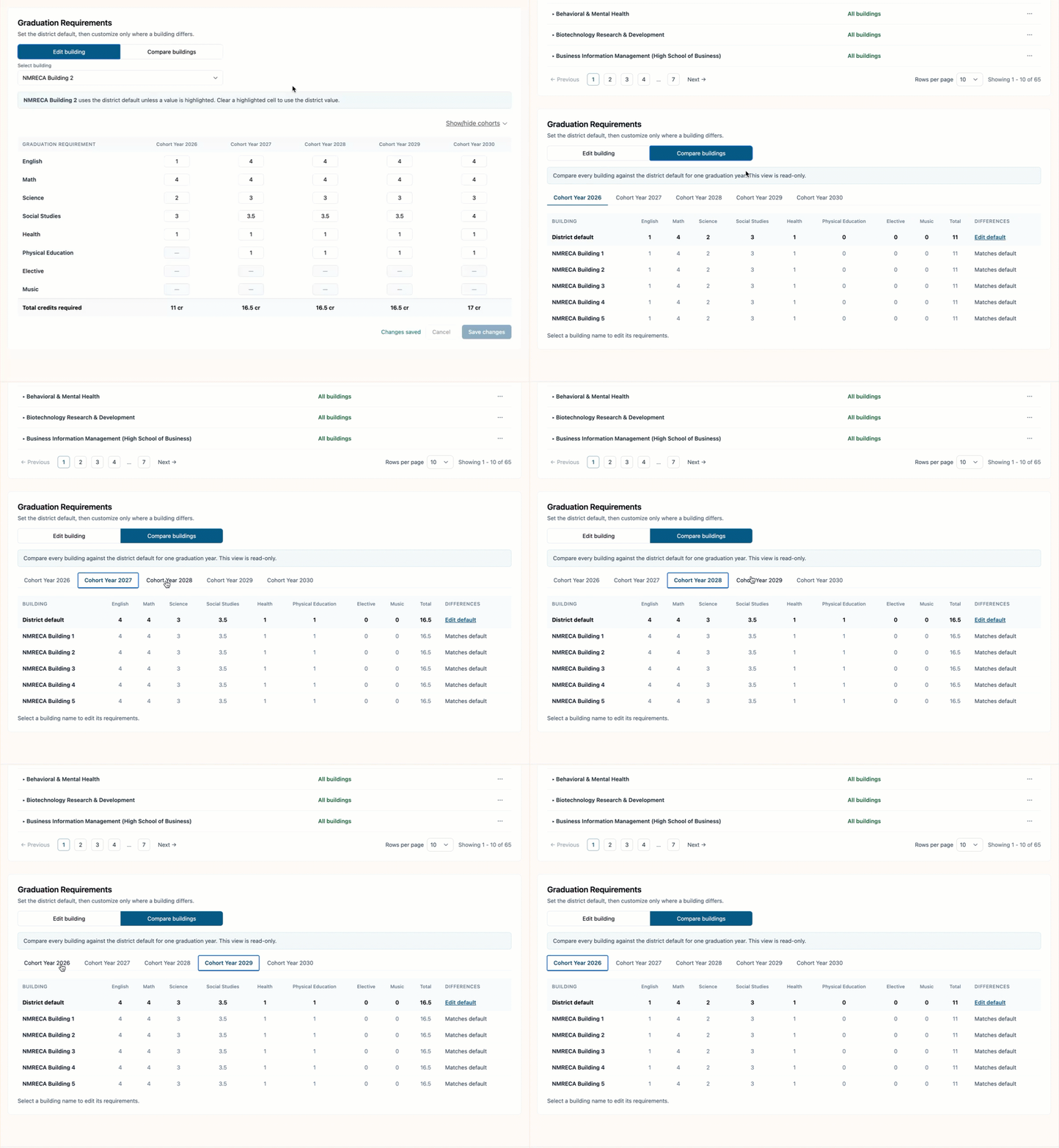
Customized values are highlighted to distinguish them from district defaults. Number of differences from the default are noted.