
The Programs of Study section allows District Admins to manage CTE course sequences and their availability to students. Building Admins can manage visibility of Programs of Study for their building.
Creating a District Program of Study
Managing Program Visibility by Building
Removing a District Program of Study
Using the State Programs of Study
Creating a District Program of Study
Within My District Catalog, District Admins can create and manage the Programs of Study.
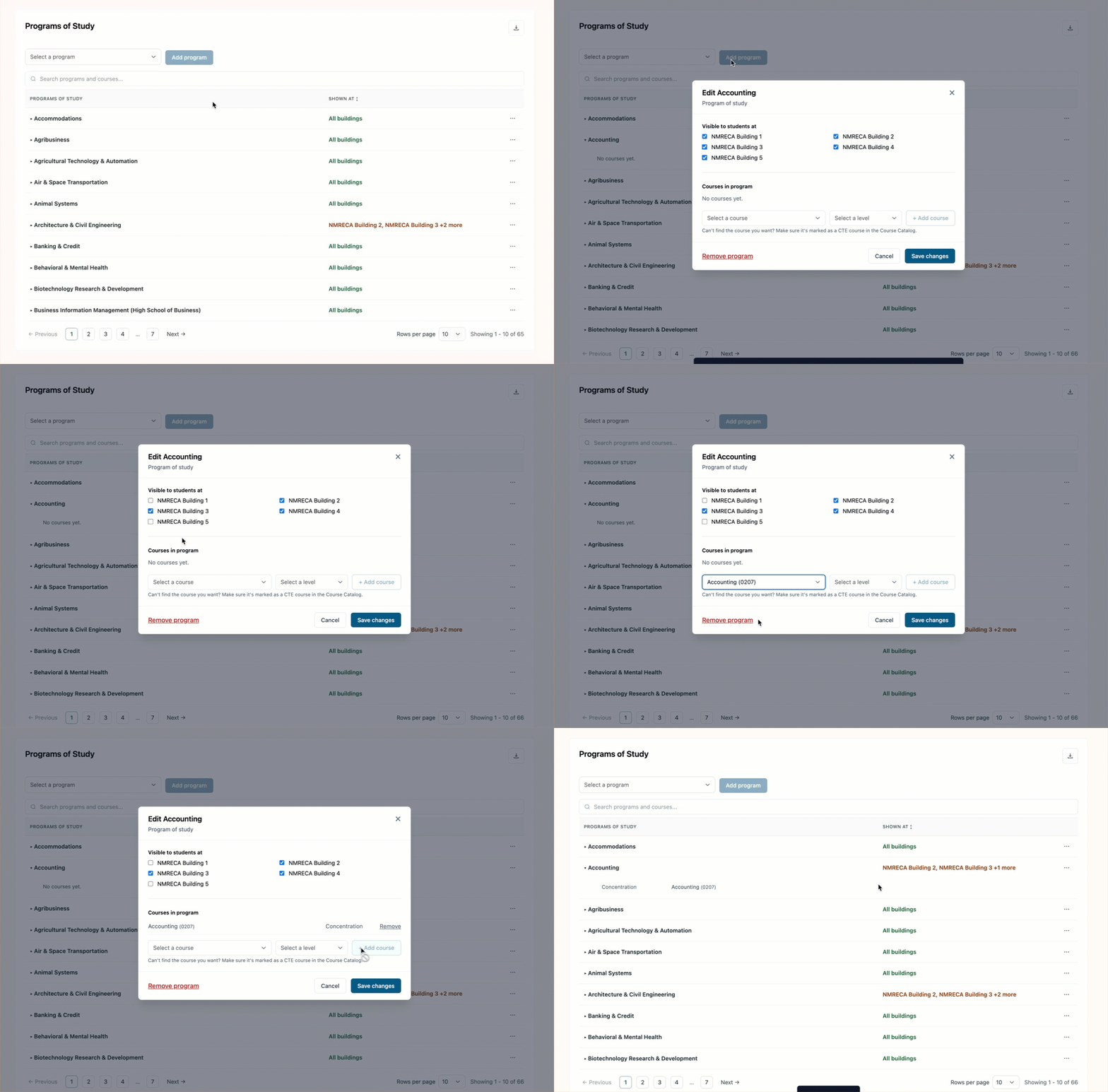
To create a program, choose an option from the Select a program drop-down menu. Then, click Add program.
Under Visible to students at, select the buildings where the program should be available to students.
Under Courses in program, use the drop-down menus to select a course and its corresponding level. Click + Add course to add it to the program. Repeat this process for each course you want to add.
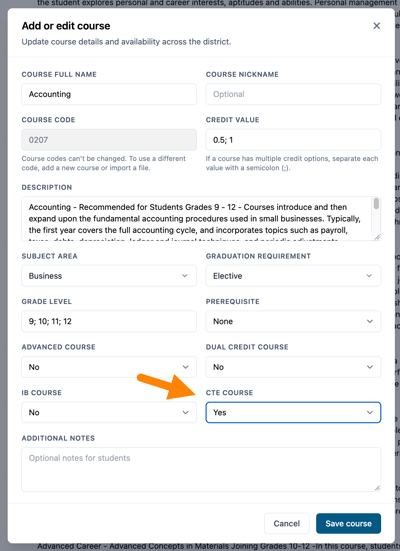
Courses must be identified as a CTE course in the Course Catalog to appear when adding courses to a Program of Study.
Managing Program Visibility by Building
District Admins can manage which buildings have access to each program.
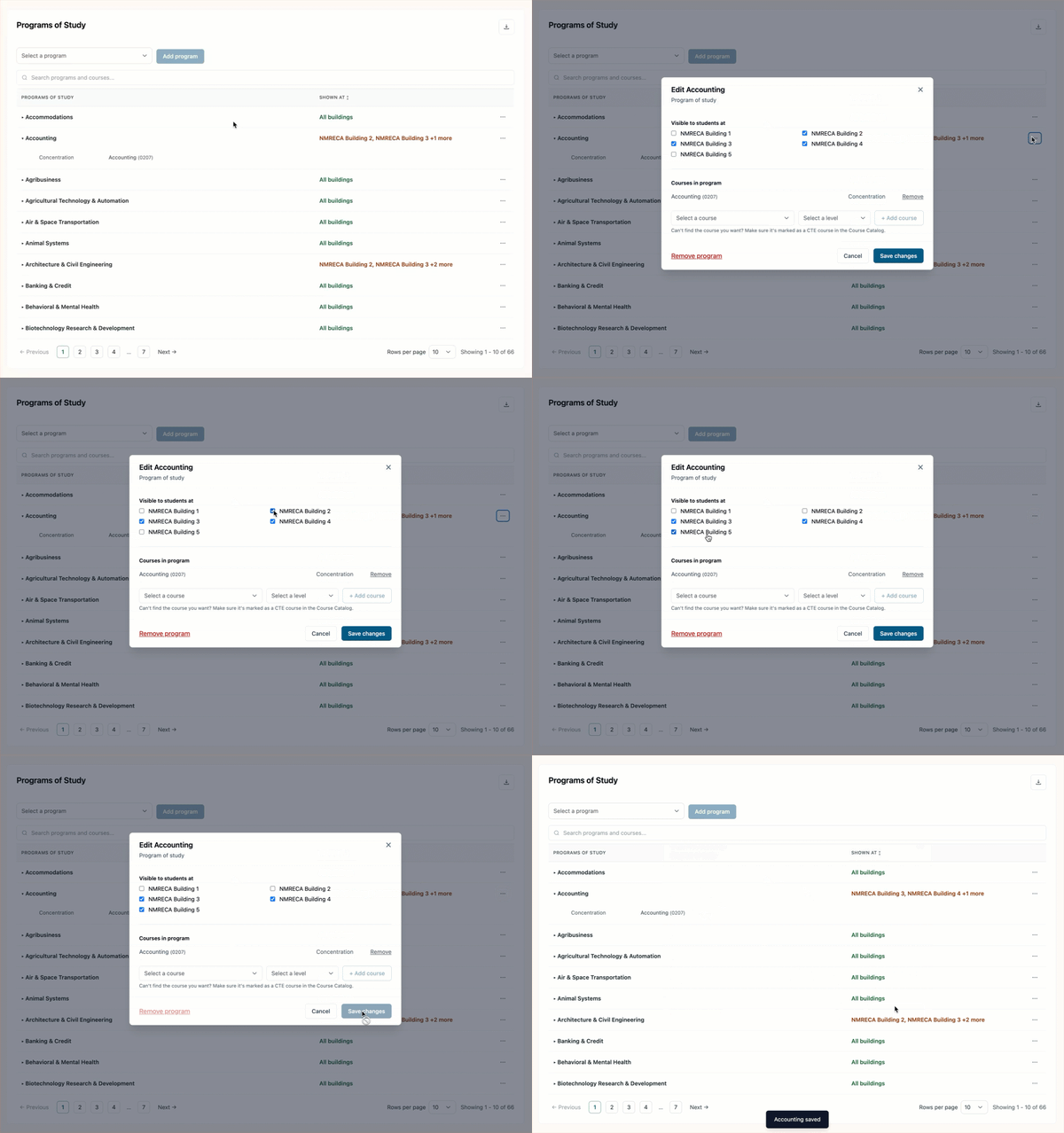
To update program visibility, open the ellipsis menu (⋯) next to the program.
Under Visible to students at, select the buildings where the program should be available to students.
Once your selections are complete, click Save changes.
Course visibility is managed through the Course Catalog, so individual courses may be hidden at buildings where a Program of Study is offered. When this occurs, a message appears next to the affected course indicating whether it is Hidden for all or Hidden for some of the buildings offering the Program of Study.
Removing a District Program of Study
When using My District Catalog, District Admins can remove Programs of Study.
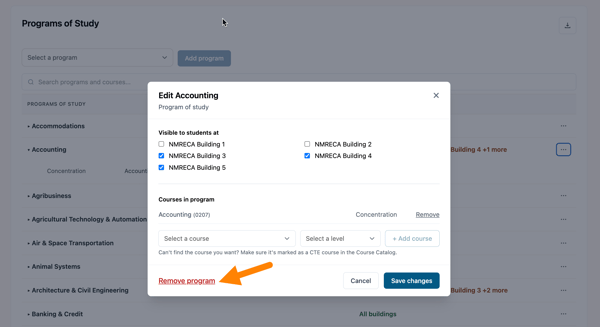
To remove a program, open the ellipsis menu (⋯) next to the program.
Click Remove program and confirm the action to remove the program.
The program and its course list are removed from every building, and students can no longer work toward it. The courses stay in the catalog.
Using State Programs of Study
When using the State Catalog, Programs of Study are provided by the state.
Course sequences are pre-populated and cannot be modified by District Admins or Building Admins.
District Admins and Building Admins can manage which buildings have access to the Programs of Study.
The state catalog is available only in certain states. States without a pre-populated state catalog should set up My district catalog.
For more information on how to import and manage a course catalog, refer to the following articles:
- High School Planner Course Catalog Import Guide
- Managing the High School Planner Course Catalog