The Lifestyle Calculator helps students plan for the future by creating a budget that supports their desired lifestyle and identifying related careers that will support that lifestyle.
From the Career Tools menu in the top navigation bar, select My Career Page.

Under Lifestyle Calculator, select Let's go.

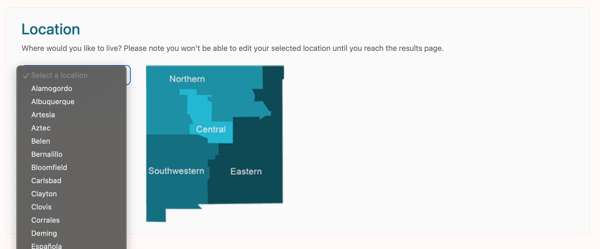
Use the dropdown menu to choose a location. The selected location determines the cost of living used throughout the tool.
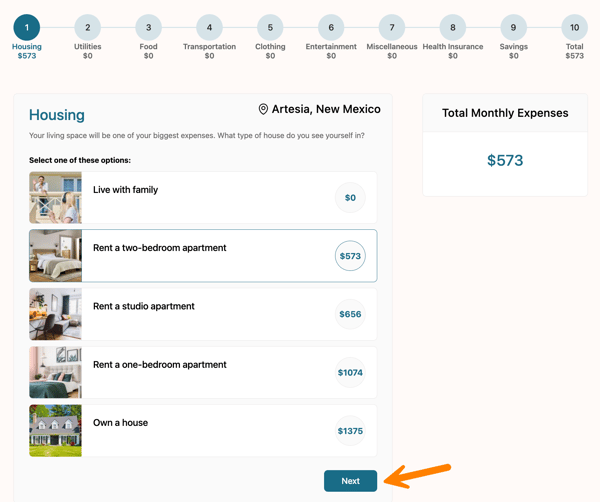
Work through each category by selecting your preferred options, then click Next to continue. You may also select a numbered circle to jump to a specific category.
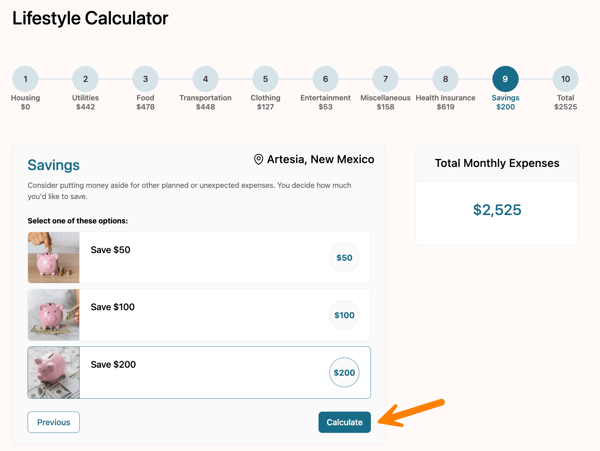
After completing all questions, click Calculate to view your results.
The results page displays a summary of your selections and the estimated annual salary needed to support your chosen expenses.
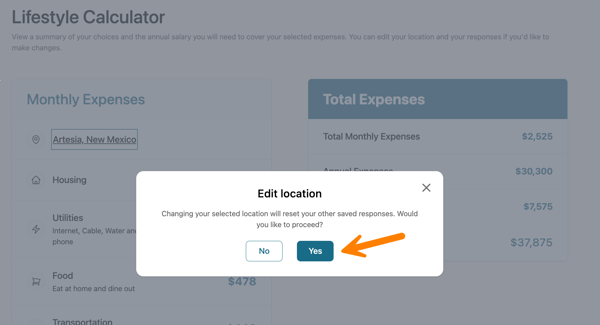
To change your location, select the underlined city name.
Note: Changing your city will reset all previously saved responses.
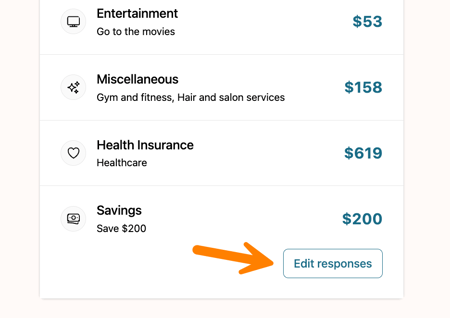
To update your selections, click Edit responses near the bottom of the page.
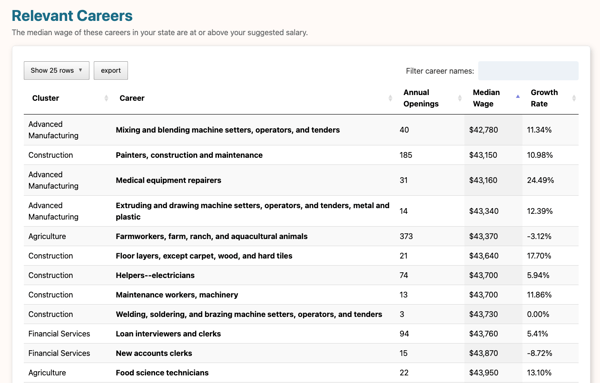
In the Relevant Careers table, explore careers with median wages that meet or exceed your suggested salary. Use the search bar to filter careers, or click the table headings to sort by Cluster, Annual Openings, Median Wage, or Growth Rate. Select any career to open the Career Details page and learn more.