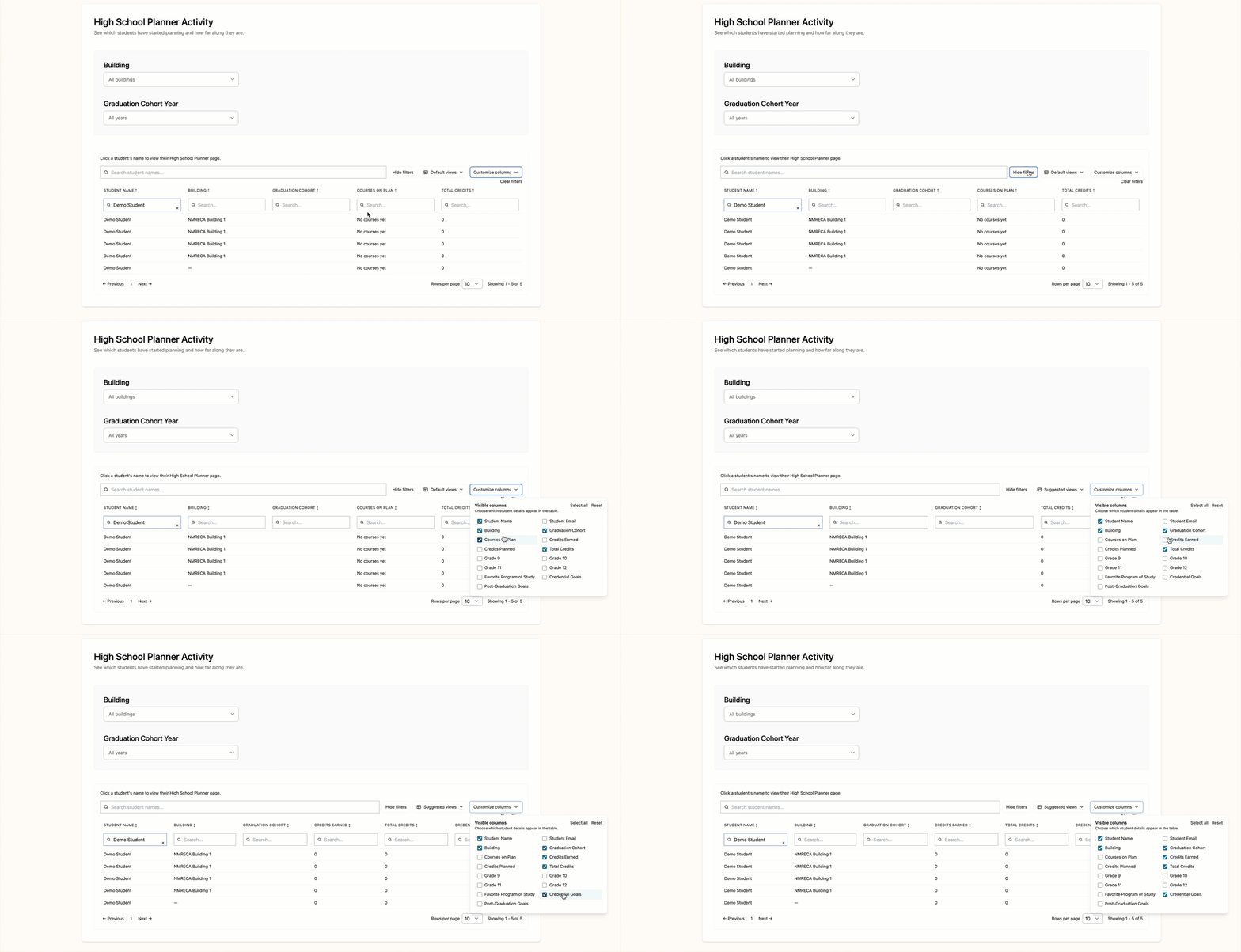
The High School Planner Student Activity Report provides information about students' course and post-graduation planning progress across the district.
As with other P2C Reports, you can expand the table to full-screen view, bookmark the report for quick access from your Home page, and download the current filtered view of the data as a CSV file.
For more information on the District Admin Reports, see the Accessing District Admin Reports article.
Navigation
Suggested Views
Previewing a Student's High School Plan
Navigation
The High School Planner Activity Report can be accessed from two locations within P2C.
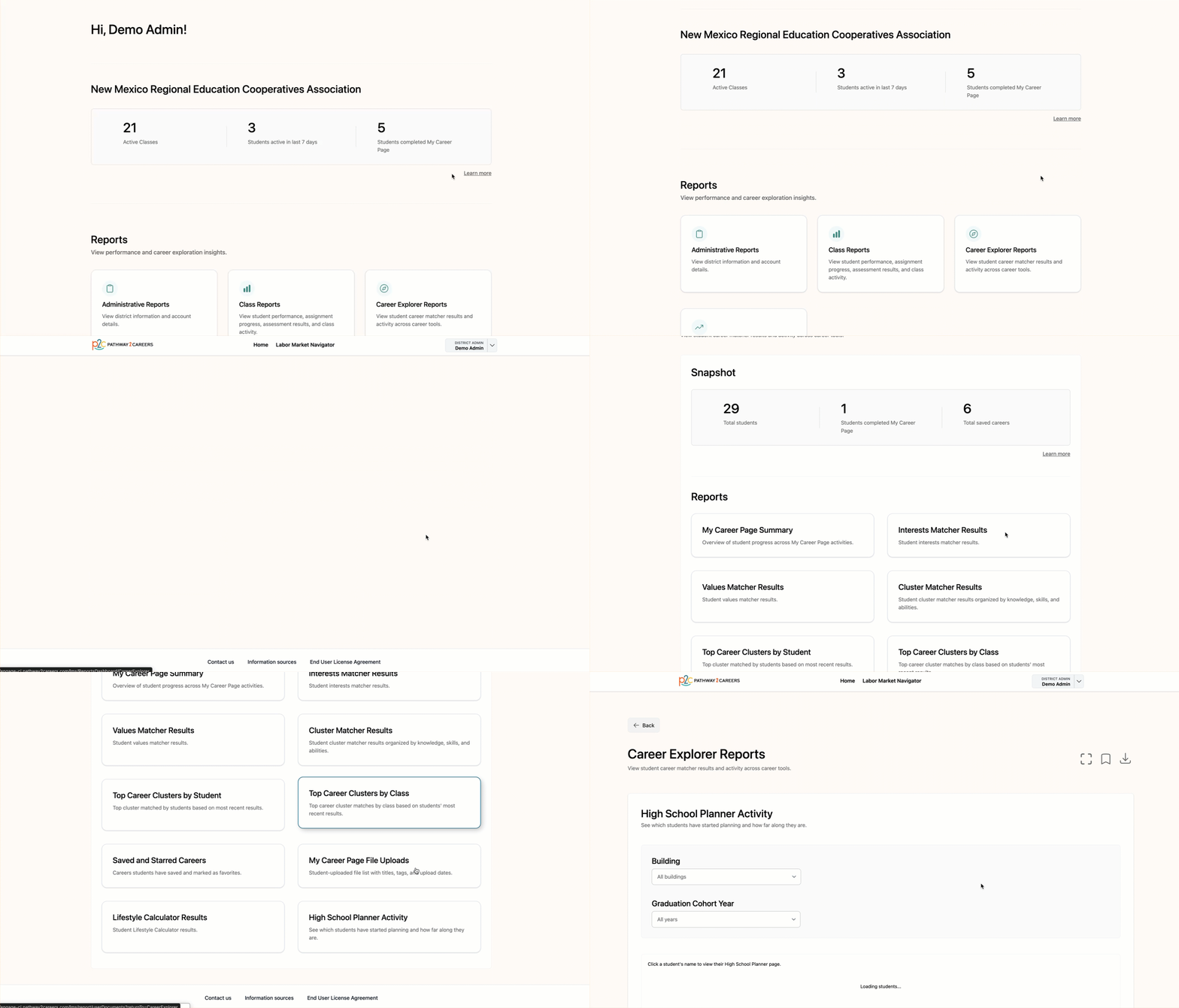
You can access the report by navigating to Career Explorer Reports in the Reports section.
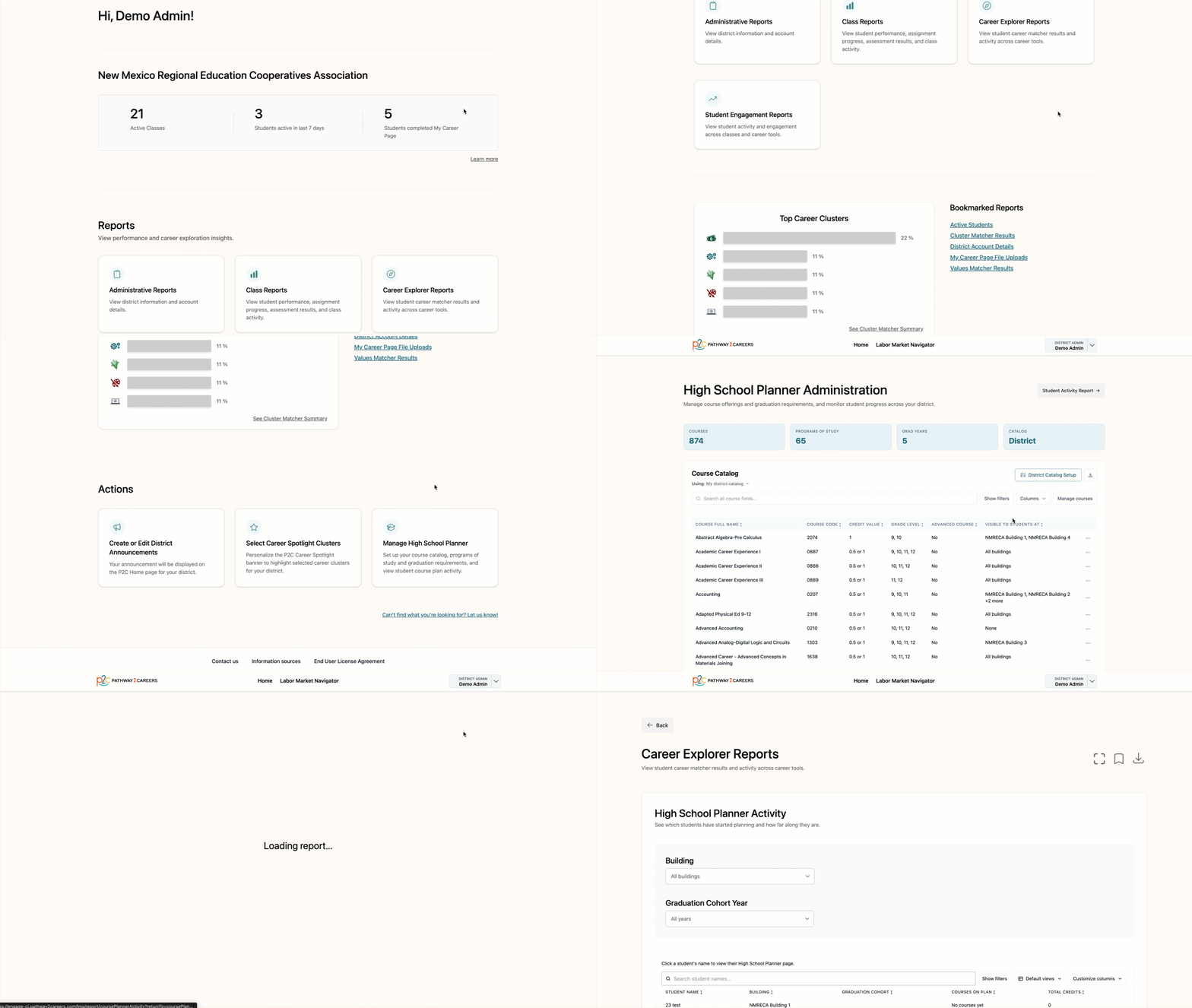
You can also access the report directly from the High School Planner page by clicking the Student Activity Report button in the top-right corner.
Suggested Views
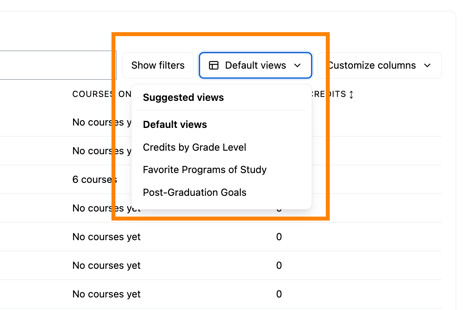
The table includes Suggested Views, which provide predefined column selections for quick access to specific data without having to manually customize the table. The following views are available:
- Default View: Provides an overview of student activity in the High School Planner, including the number of courses added and the total number of planned credits.
- Credits by Grade Level: Displays the total number of planned credits and a breakdown of credits by grade level (9–12).
- Favorite Programs of Study: Identifies the Programs of Study students have marked as favorites.
- Post-Graduation Goals: Displays the post-graduation goals students have selected in their High School Planners.
Previewing a Student's High School Plan
To review a student's High School Planner, click their name. This is a view-only version of the student's plan and cannot be edited.

Additionally, the High School Planner Activity Report includes additional tools to help you find and filter the data.
- Search: Search across all available data.
- Show filters: Display search bars for individual table columns.
- Customize Columns: Choose which details appear in the table.
- Rows per page: Adjust how many students appear at once.
- Pagination: Navigate between pages using page numbers or the Previous and Next buttons.