Once a student has at least one Quantile score, they can explore careers and compare their score to the math requirements of entry-level roles.
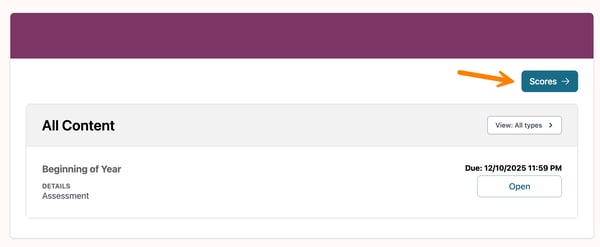
To get started, open the Scores page of a class.
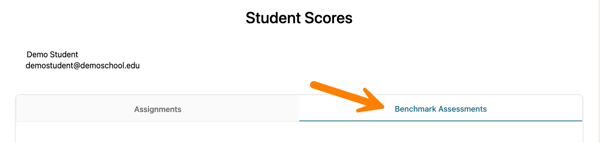
Then, select the Benchmark Assessments tab.
Note: Benchmark Assessments are only available for the following math classes: Pre-Algebra, Geometry, Algebra I, Algebra II, Algebra IIa, and Algebra IIb.
Scroll to the What's next? section and select Explore careers.

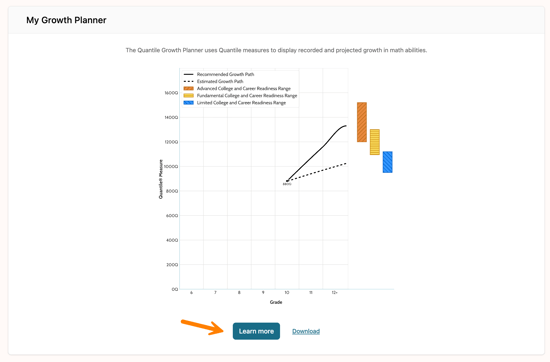
The Explore Careers by Quantile Score page can also be accessed from the student's My Career Page. Scroll down to the My Growth Planner box and select Learn more.
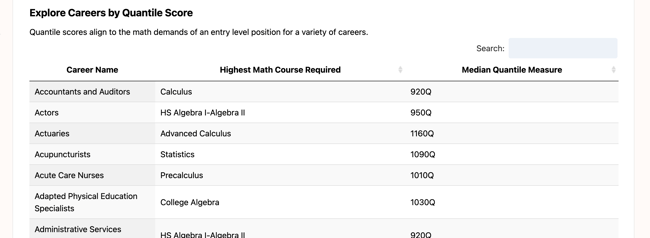
At the bottom of the page, the Explore Careers by Quantile Score table displays different career options and their math requirements for entry level positions.
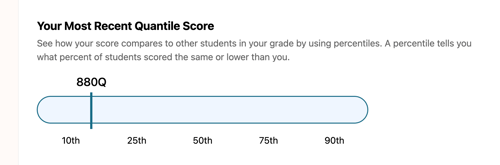
The student's Most Recent Quantile Score appears above the table for reference:
For more information on the Quantile Growth Planner and Quantile Scores, see Quantile Growth Planner.
Users can filter or search the table using the following criteria to better understand each career’s math requirements:
- Career name
- Highest math course required
- Median Quantile measure
To learn more about a specific career, select the Career Name.
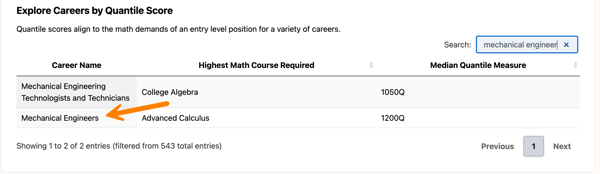
This opens the Career Details page, where students can review additional information and determine whether the career is a good fit.