
The Curriculum Resources page houses all related support materials and resources for each curriculum. These materials are designed to support effective and successful implementation.
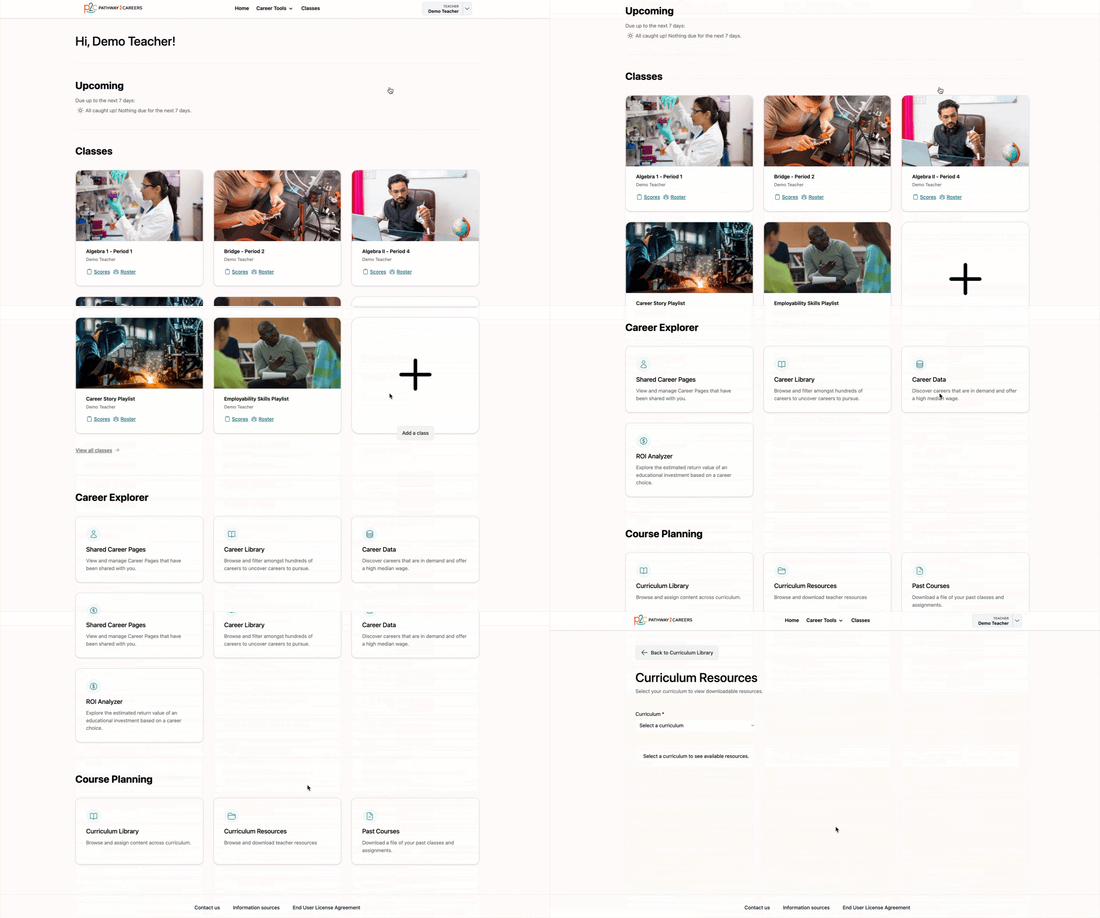
Teachers can access the Curriculum Resources from two locations. From the Home Page, navigate to the Course Planning section and select Curriculum Resources.
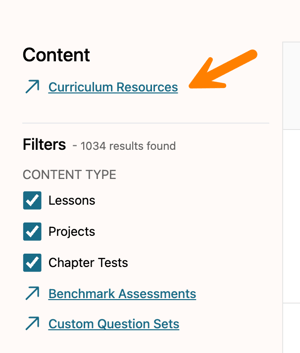
Curriculum Resources can also be accessed directly from the Curriculum Library.
Once on the Curriculum Resources page, select a curriculum from the drop-down menu. The available materials for that curriculum will appear.
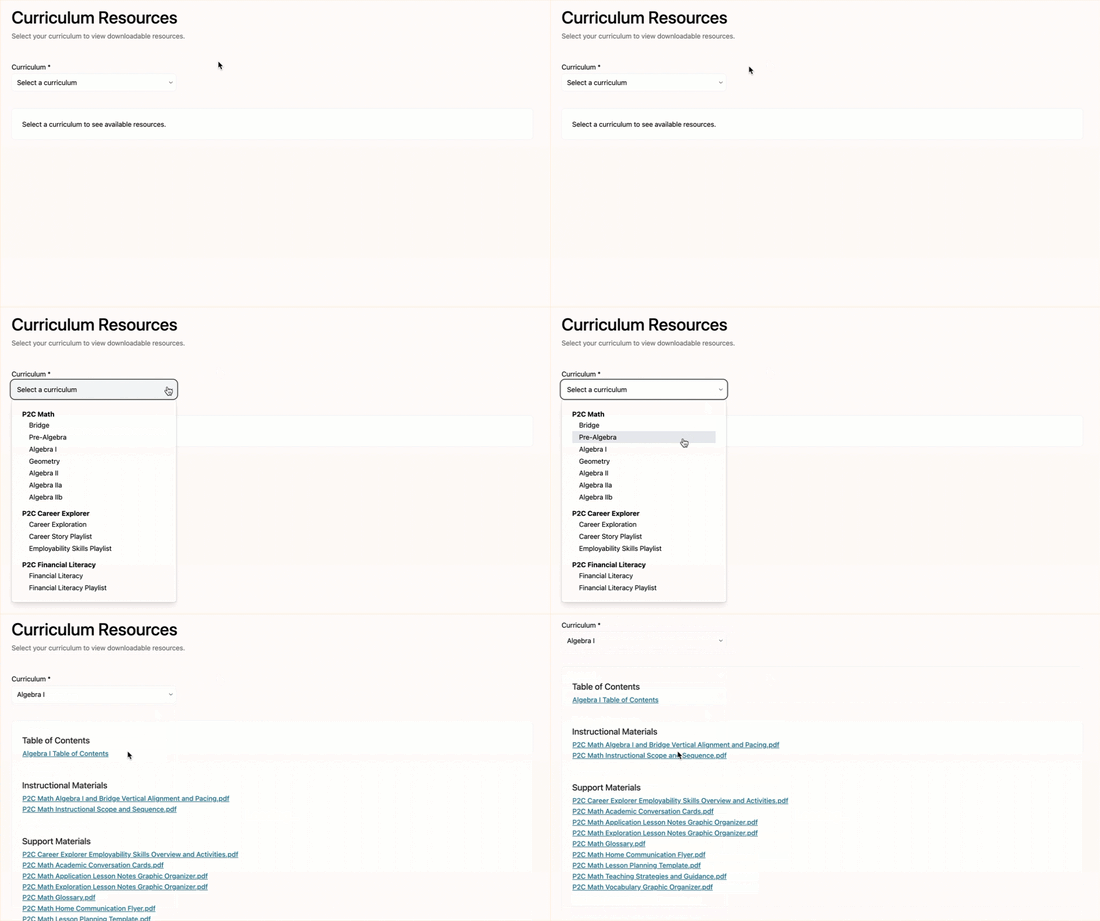
Each material will open in a new browser tab, where it can be viewed or downloaded.