
Teacher Reports provide student performance, engagement, and career exploration data to help teachers monitor progress, identify trends, and support student success.
Reports are organized into three categories and are available from the Home page or the Class Scores page.
Report Categories
Navigation
Filters and Search
Specialized Class Reports
Report Categories
- Career Explorer Reports: These reports display student results from Career Explorer tools and activities. Teachers can use this information to support career readiness conversations and guide students as they explore career pathways.
- Class Reports: These reports provide assignment and assessment performance data by class. Teachers can use the information to monitor progress, identify learning trends, and determine where additional support may be needed.
- Student Engagement Reports: These reports provide insights into student activity and participation within the platform. Teachers can use this information to monitor engagement and identify students who may need additional support.
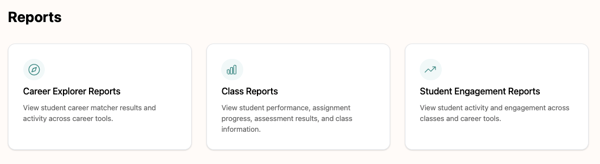
The teacher reports will reflect data for classes that are currently active.
Navigation
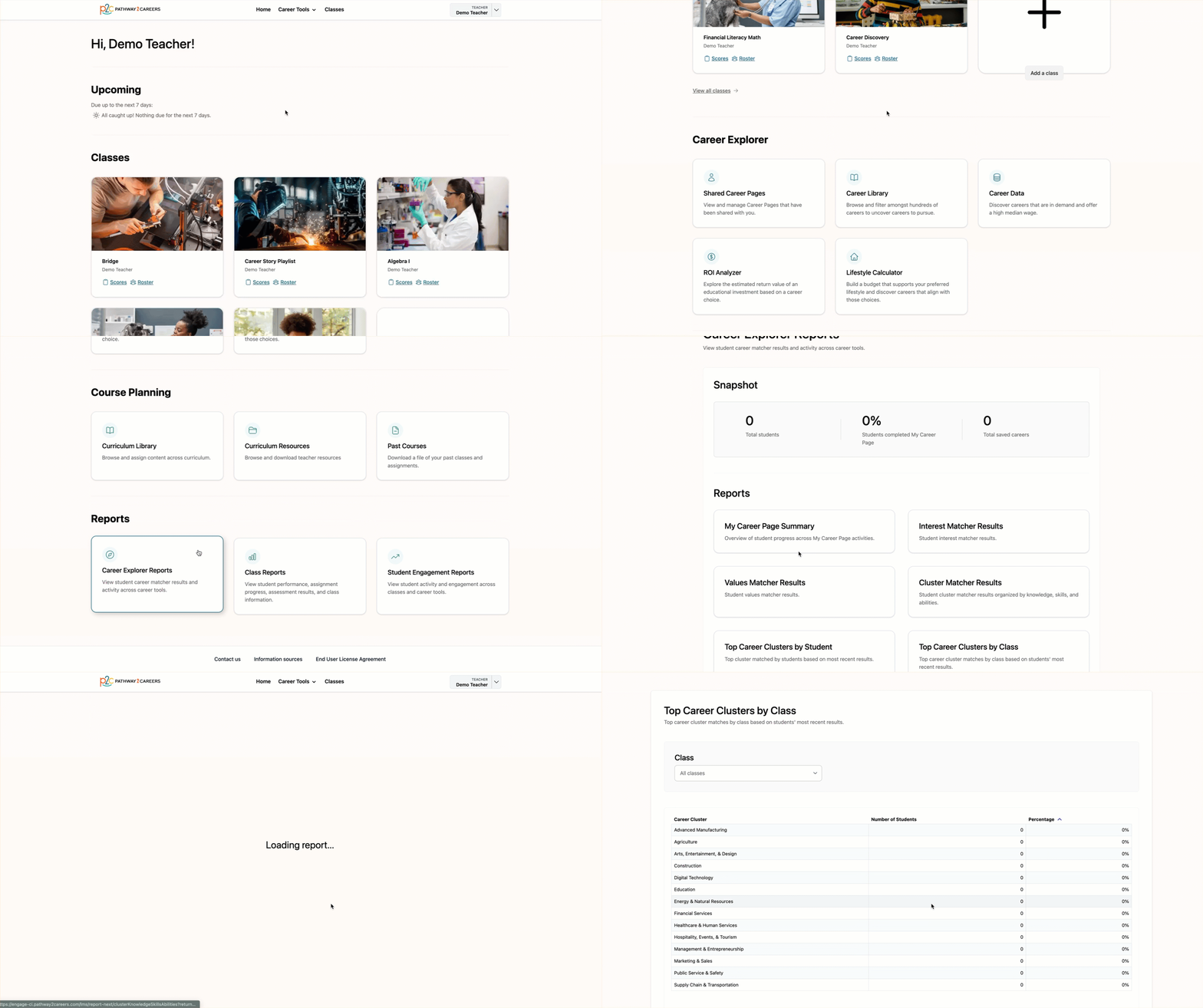
Teachers can access reports from two locations within the platform.
To access reports from the Home page, log in to your account and scroll to the bottom of the page.
From there, select the desired report category and choose the report you would like to view.
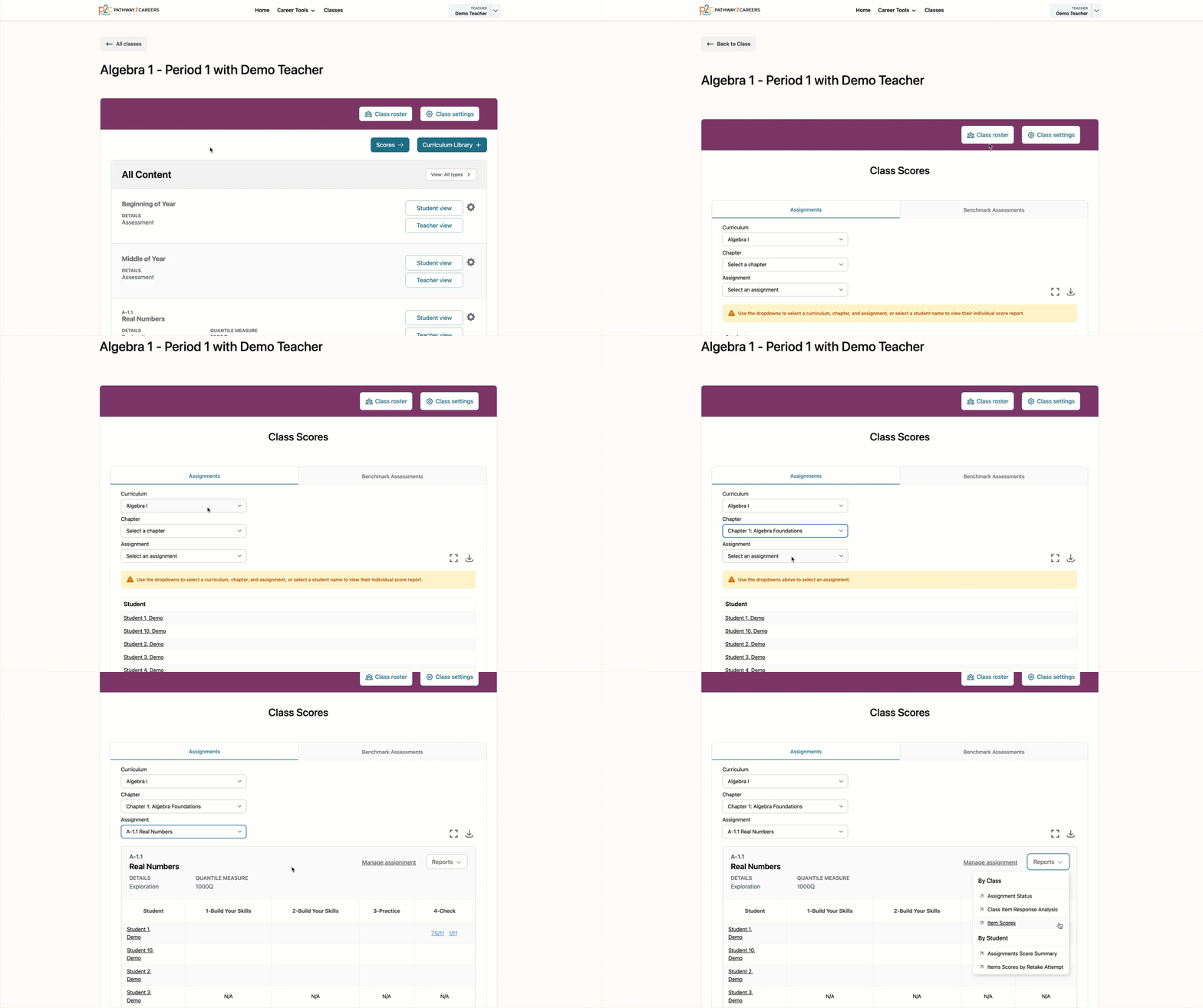
Reports can also be accessed from the Class Scores page.
Navigate to the Class Scores page for the desired class and select an assignment. Then, open the Reports drop-down menu and select the report you would like to view.
Student reports can also be accessed from Student Scores pages.
Filters and Search
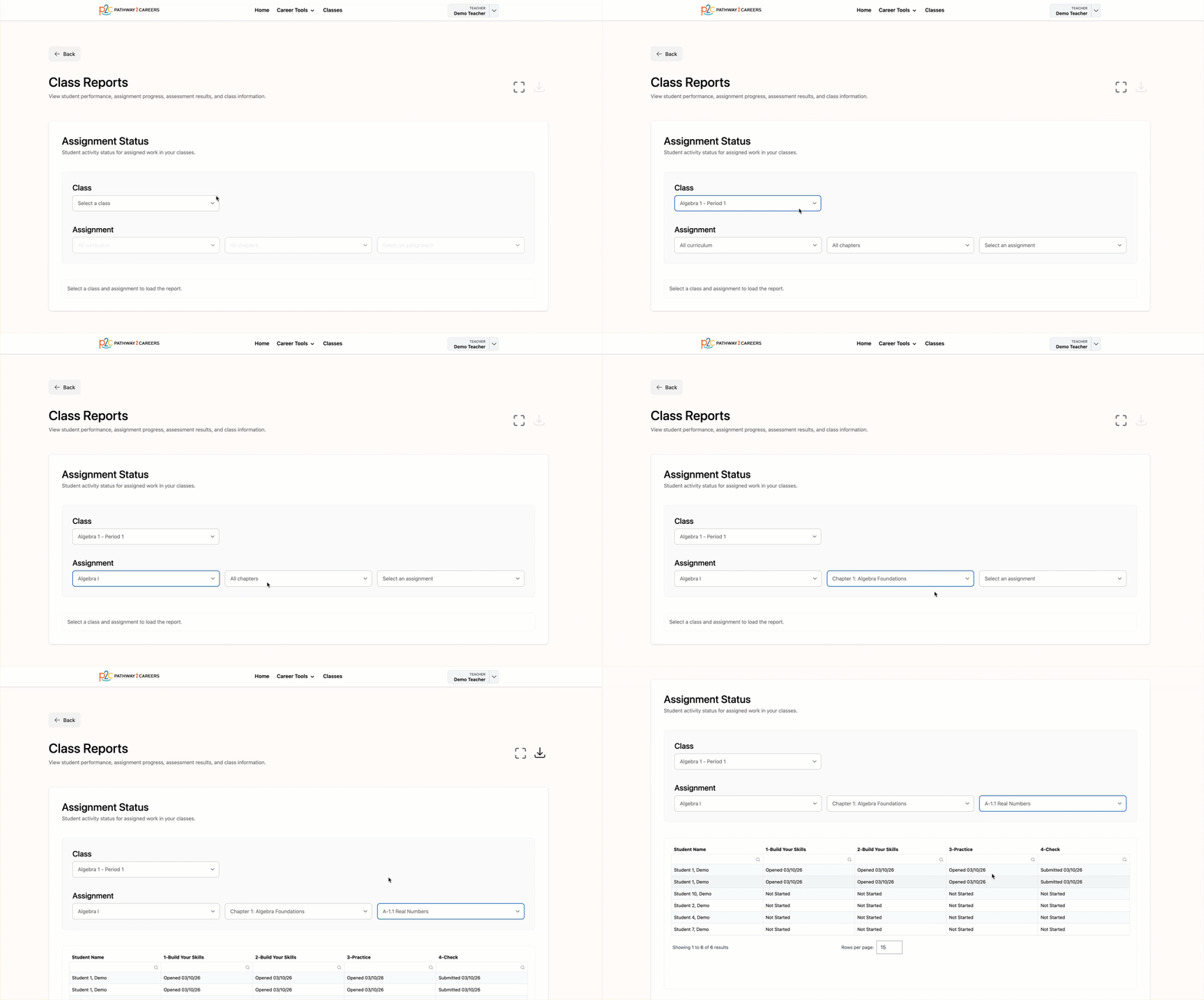
Filters
Most reports include filters that help you narrow the data displayed. Almost all reports include a Class filter, and some include additional filters, depending on the report type.
Search
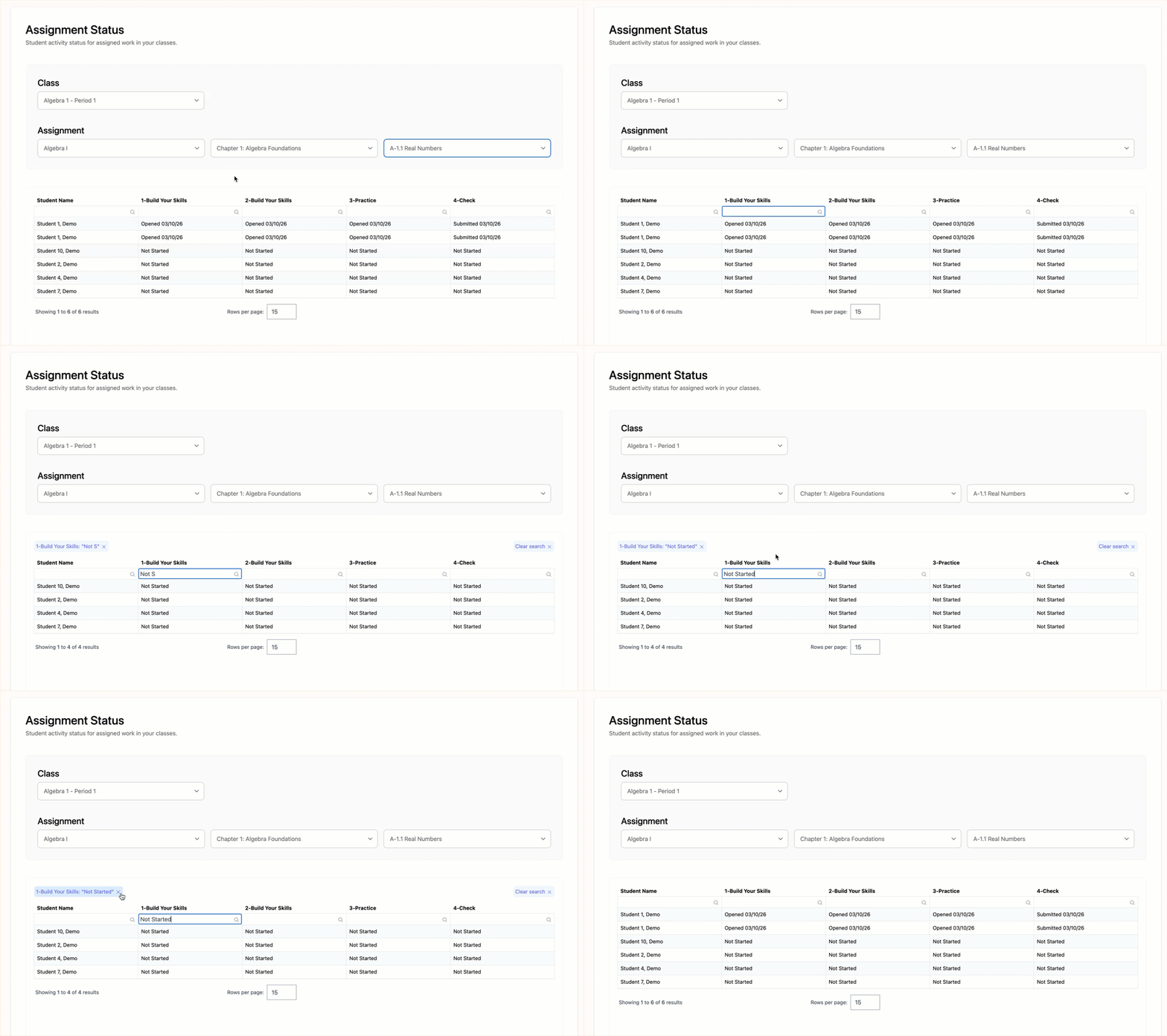
Many reports also include column-level search fields that allow you to locate specific information quickly. Enter a student name, date, or other value into the search field for a column. Matching results will automatically display in the report.
Specialized Class Reports
The following class reports provide detailed information about student responses, work sessions, and item-level performance. These four reports contain more specialized data than other class reports and may be helpful when reviewing activity results in greater detail.
- Item Scores: Displays students' most recent scores on individual activity items.
- Assignment Scores Summary: Provides a summary of most recent assignment scores.
- Items Scores by Retake Attempt: Displays item scores and completion status across multiple retake attempts.
- Class Item Response Analysis: Provides class response patterns for individual activity items.